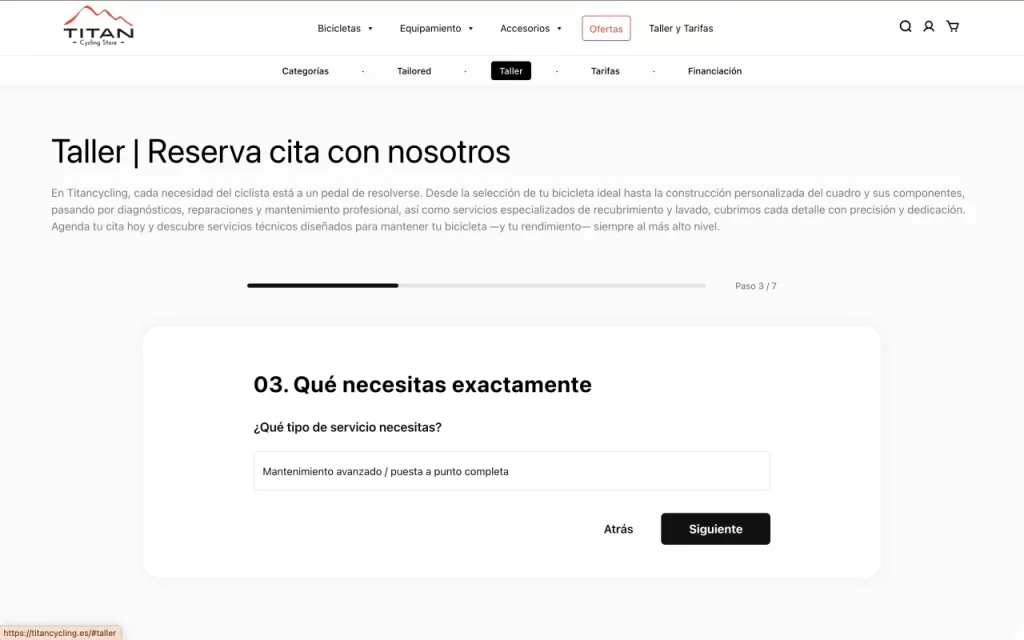
Sistema de Reserva Inteligente (Wizard)
Home | Taller form
Sistema guiado que recoge información del usuario, bicicleta y tipo de servicio. Diseñado para reducir fricción y mejorar la conversión frente a formularios tradicionales.
eCommerce platform for electric bicycles, equipment, and accessories, designed to manage a complex catalog with multiple hierarchies, advanced filtering, and a high volume of technical information.
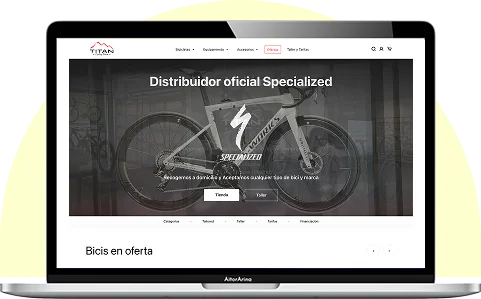
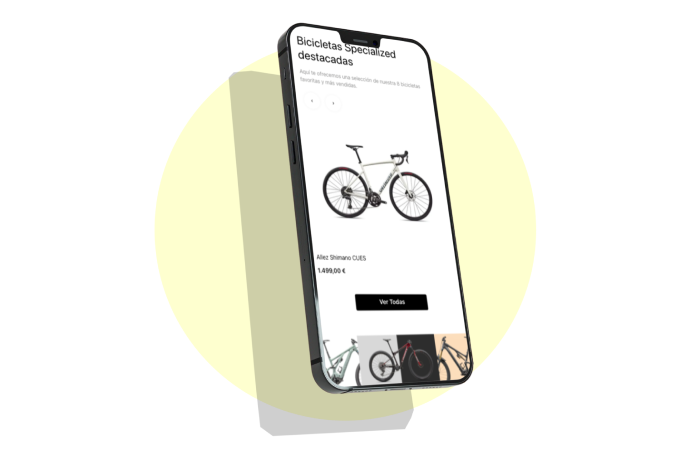
The project required a solution capable of managing a complex catalog with multiple levels of navigation, advanced filtering, and product pages with highly technical content—without compromising clarity or performance.
My role involved defining the information architecture, designing the key exploration and purchase flows, and supporting the technical implementation to ensure alignment and consistency between UX, UI, and development..
Design of a scalable information architecture for a complex catalog.
Development of a contextual navigation system to improve user orientation.
Redesign of the product detail page prioritizing information hierarchy and conversion.
mplementation of adaptive filtering logic based on navigation level.
Coordination between design and development through custom WooCommerce templates.
Sistema de Reserva Inteligente (Wizard)
Sistema guiado que recoge información del usuario, bicicleta y tipo de servicio. Diseñado para reducir fricción y mejorar la conversión frente a formularios tradicionales.
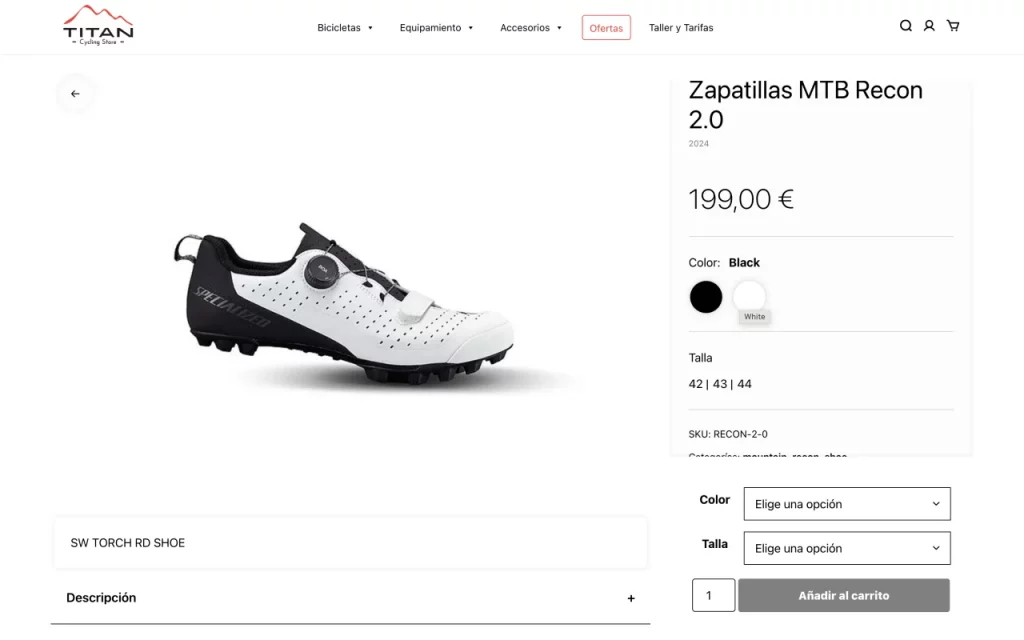
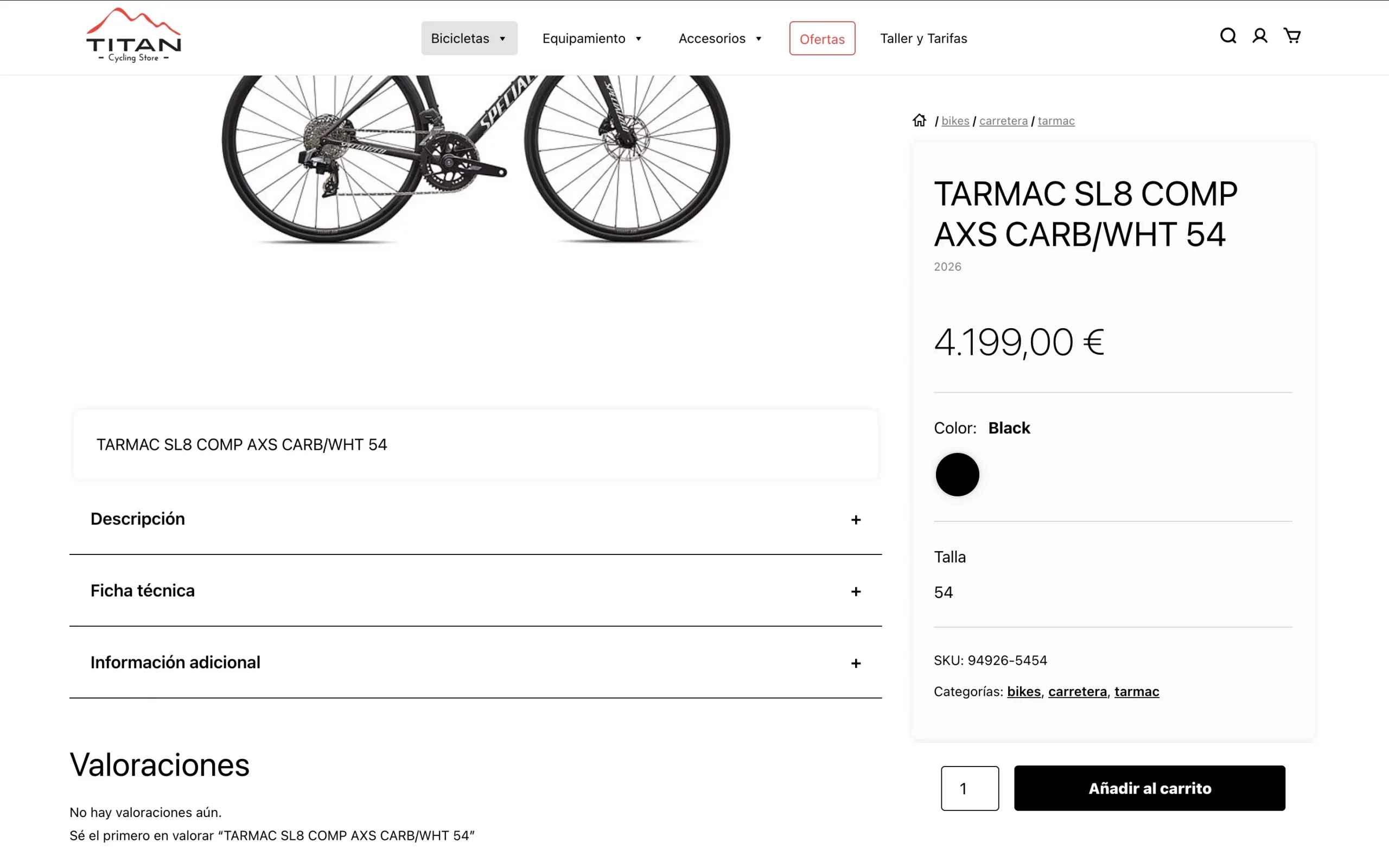
Scroll Independiente y CTA Sticky
Diseño dividido en dos áreas:
65% contenido informativo (imágenes, ficha técnica, acordeones)
35% panel de compra con atributos scrollables y botón de añadir al carrito sticky
Optimizado para mantener el CTA siempre visible.
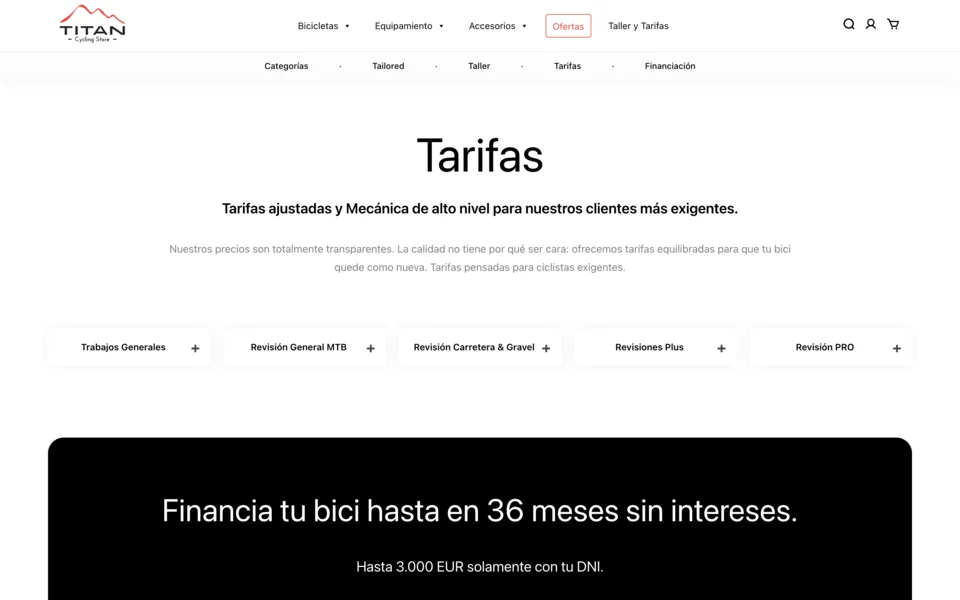
Tabs + accordion in responsive
Buena experiencia y usabilidad para mostrar información, en este caso de las distintas tarifas. El primer elemento siempre está abierto para indicar al usuario que puede visualizar información pertinente.
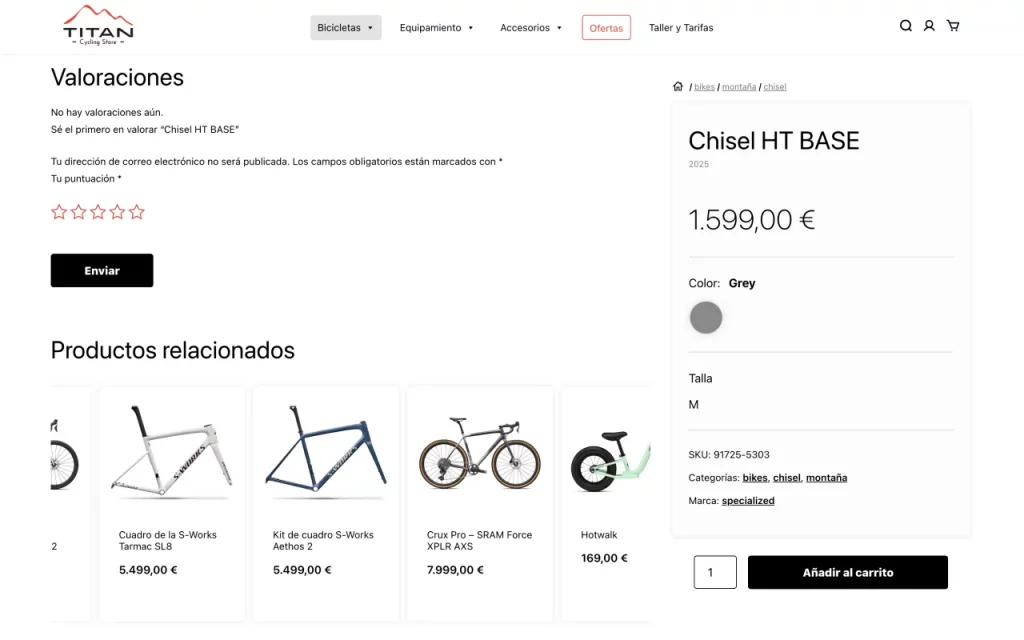
Cross-Selling Dinámico
Carousel infinito de productos relacionados para fomentar venta cruzada sin comprometer la estructura visual del layout principal.
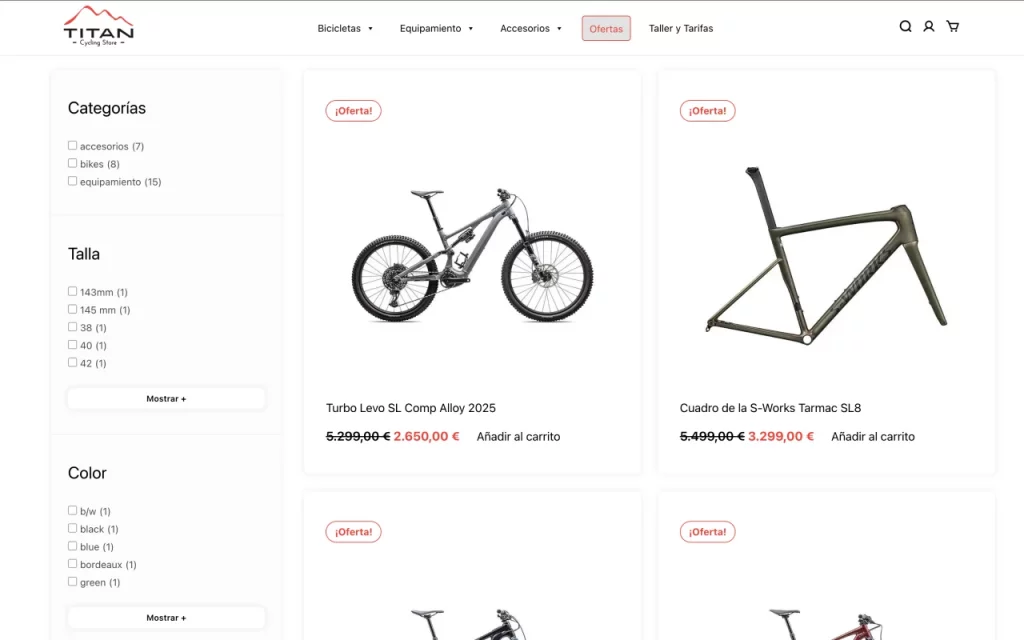
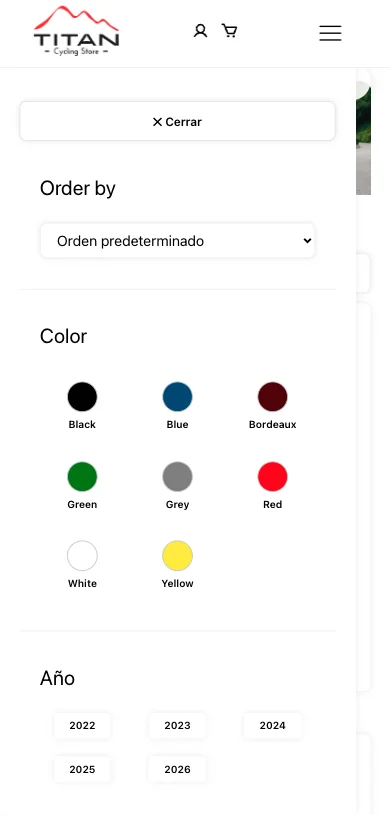
Sistema de Filtros Adaptativo
Implementación de filtros dinámicos que se adaptan según el volumen de opciones disponibles, optimizando espacio y usabilidad.
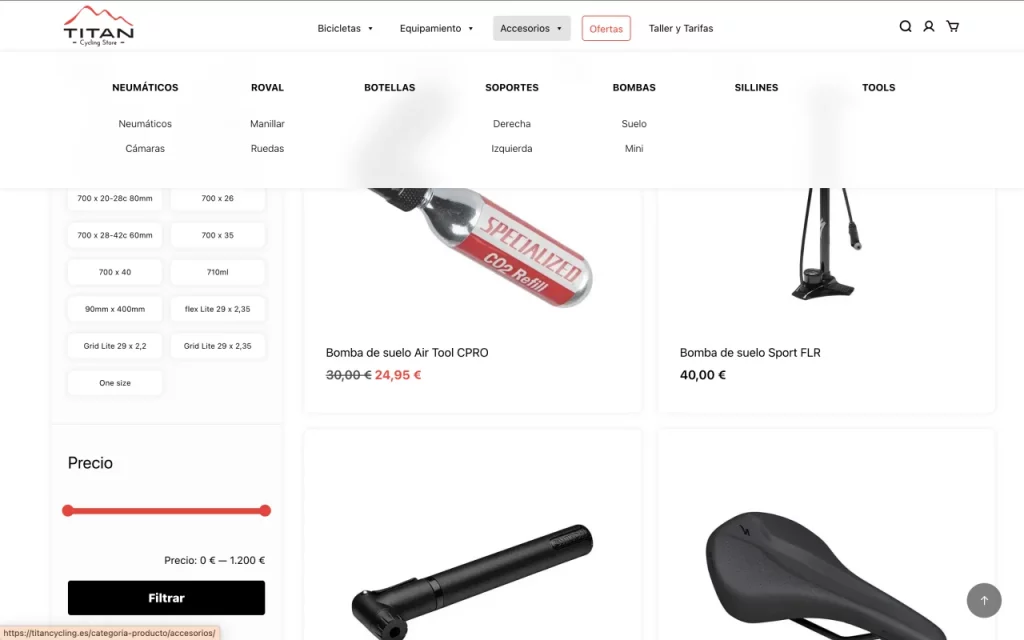
Open Menu Map
Resultado del menú abierto en el que, en este caso, nos encontramos en la categoría padre. Al estar en categoría hijo o producto, el menú nos marca dónde nos encontramos con un background color distinto.
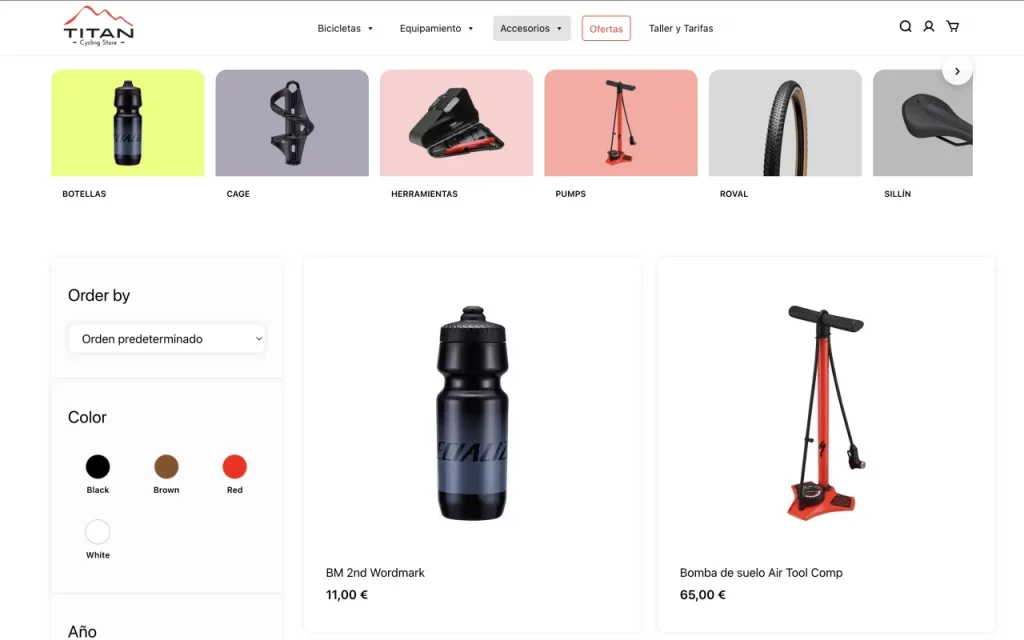
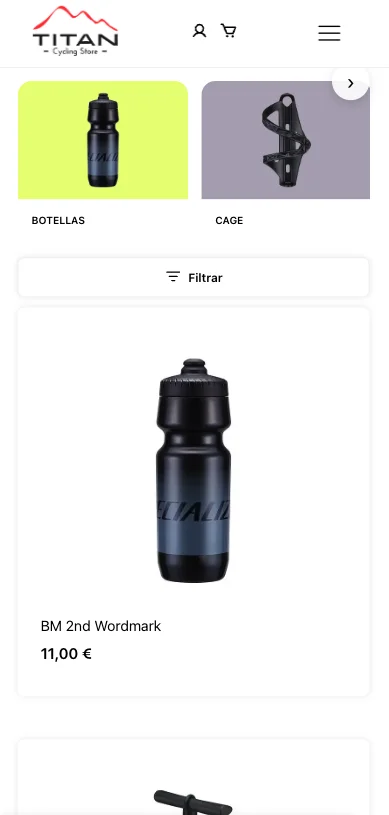
Navegación Visual por Categorías
Diseño orientado a facilitar la exploración mediante subcategorías visuales destacadas antes del listado de productos.
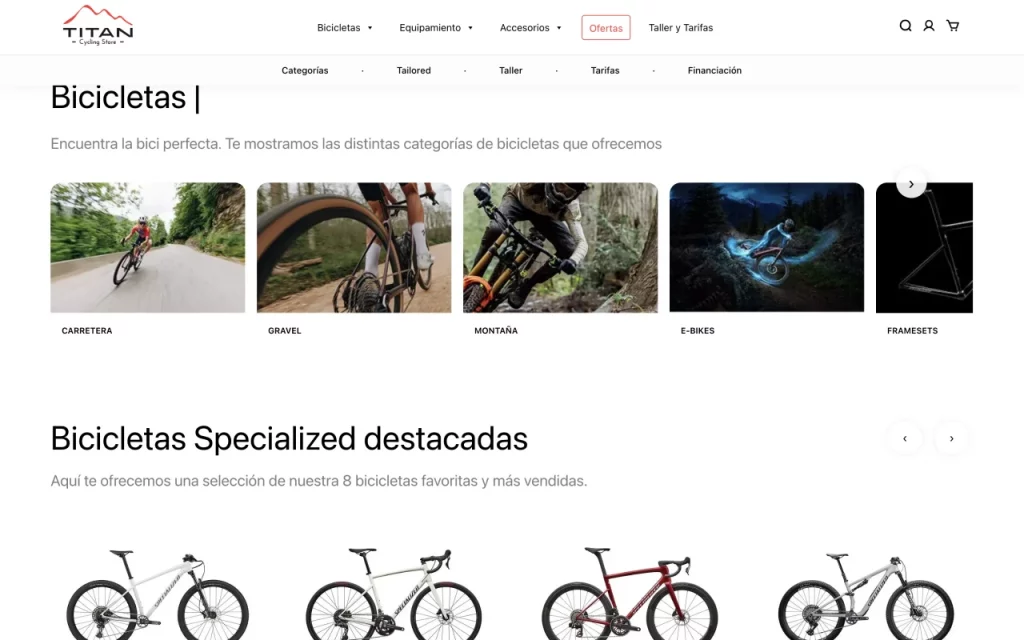
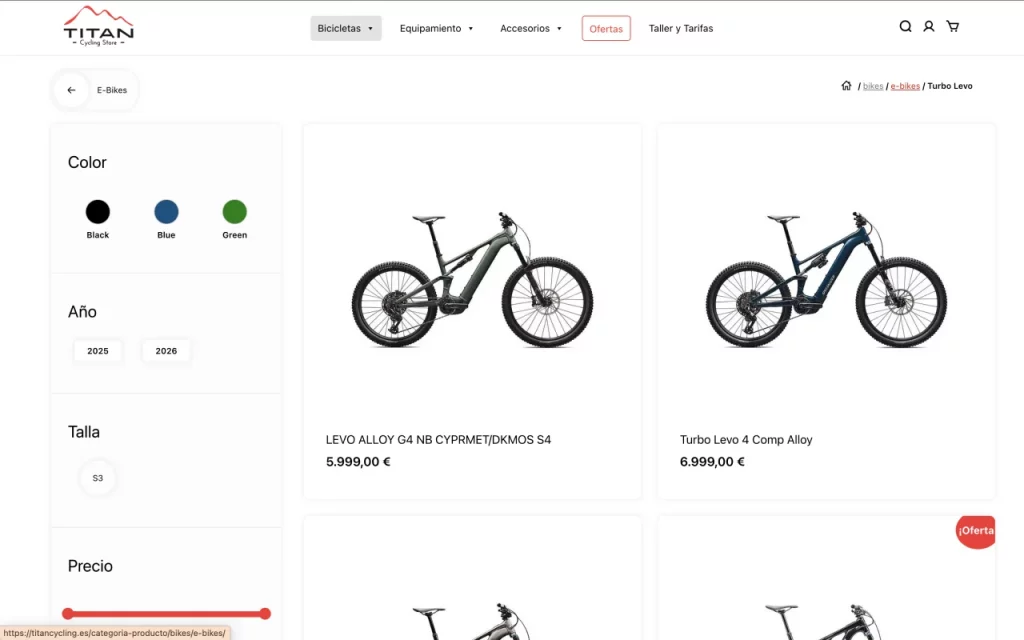
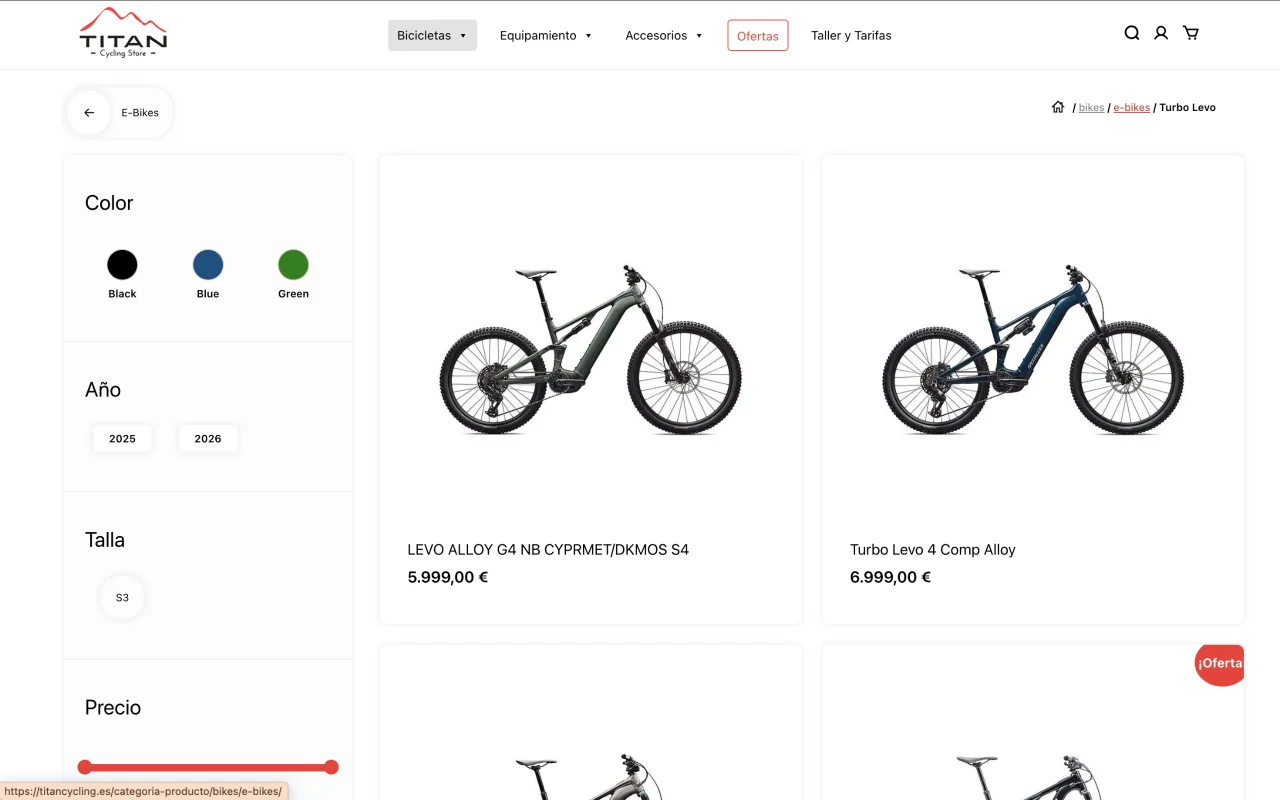
Sistema de Navegación Contextual
Implementación combinada de breadcrumbs clicables y botón contextual de retorno para mejorar orientación del usuario dentro de la jerarquía del catálogo.
 Challenge Solution
 Before the final design phase, the project started with:
The first step was to organize the information before designing interfaces, standardizing product data to ensure all items could be displayed using a unified taxonomy structure.
The information architecture was designed to reduce cognitive load and help users quickly understand what they can do and where they need to go.
Clear hierarchies were defined between primary and secondary sections, prioritizing the most relevant actions for both the business and the user.
The structure allows the product to scale easily (new categories, features, or flows) without breaking the existing logic or creating friction in navigation.
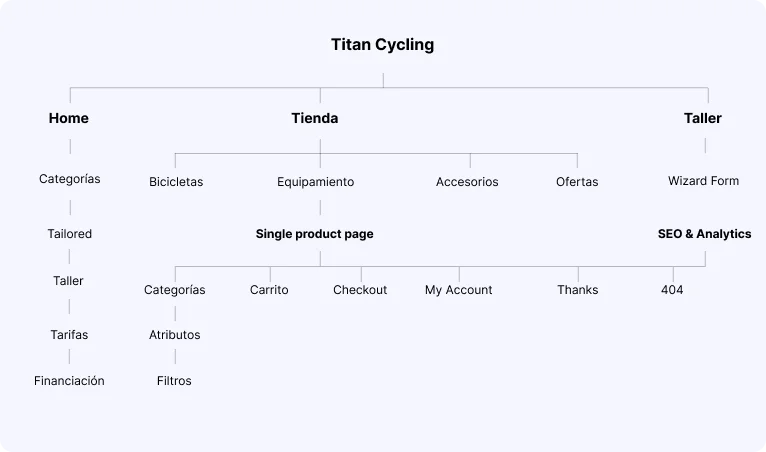
The navigation was designed to ensure users always understand where they are and what actions they can take at any given moment.
SVisibility of key sections was prioritized, along with consistency across states, avoiding unexpected behavioral changes between screens.
Discovery patterns enable users to explore new features progressively, without requiring explicit instructions, supporting an intuitive experience.
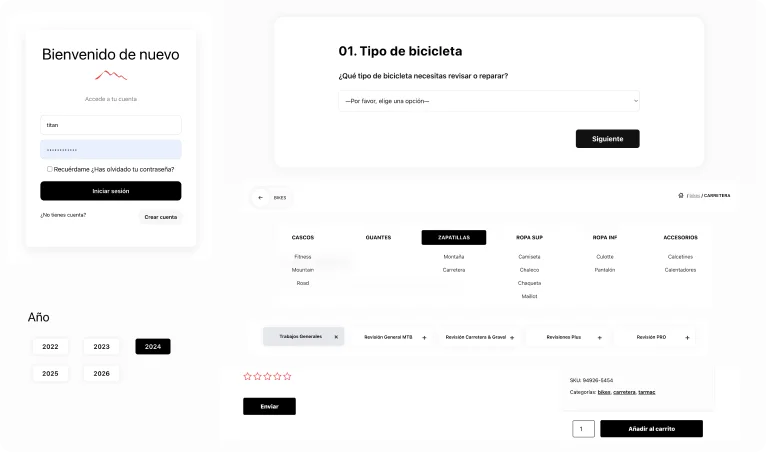
Consistent interaction patterns were defined to ensure predictability and smoothness throughout the product experience.
Components such as buttons, cards, dropdowns, and interactive states behave consistently, reinforcing learning through repetition.
The system supports a “learn by doing” approach, enabling users to understand how it works through direct interaction rather than explicit instructions.
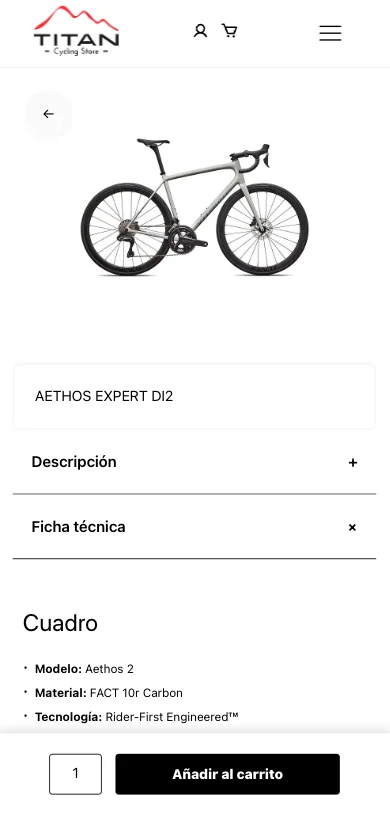
The detail experience was designed to present complex information progressively, avoiding cognitive overload.
Content is structured by levels of relevance: first, the essentials for the purchase decision (price, key attributes, CTA), followed by expanded information (technical specifications, descriptions, reviews).
The layout, featuring independent scroll areas and a sticky CTA, keeps the focus on conversion without sacrificing informational depth—enhancing trust and reducing friction in the decision-making process.
The same navigation and orientation logic was maintained consistently across all devices.

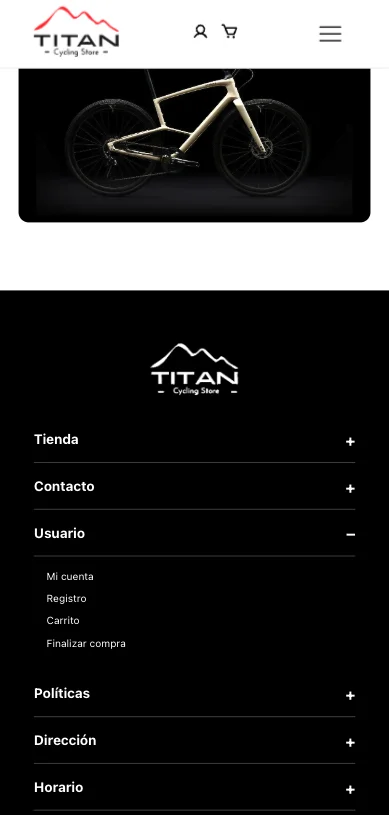
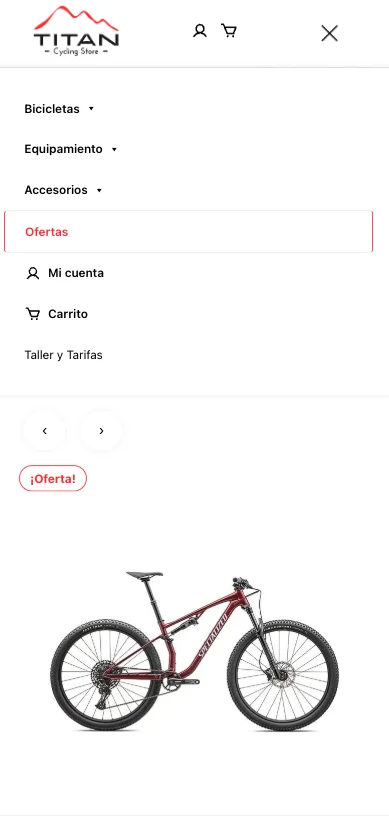
The architecture allows the project to scale without requiring structural redesigns.
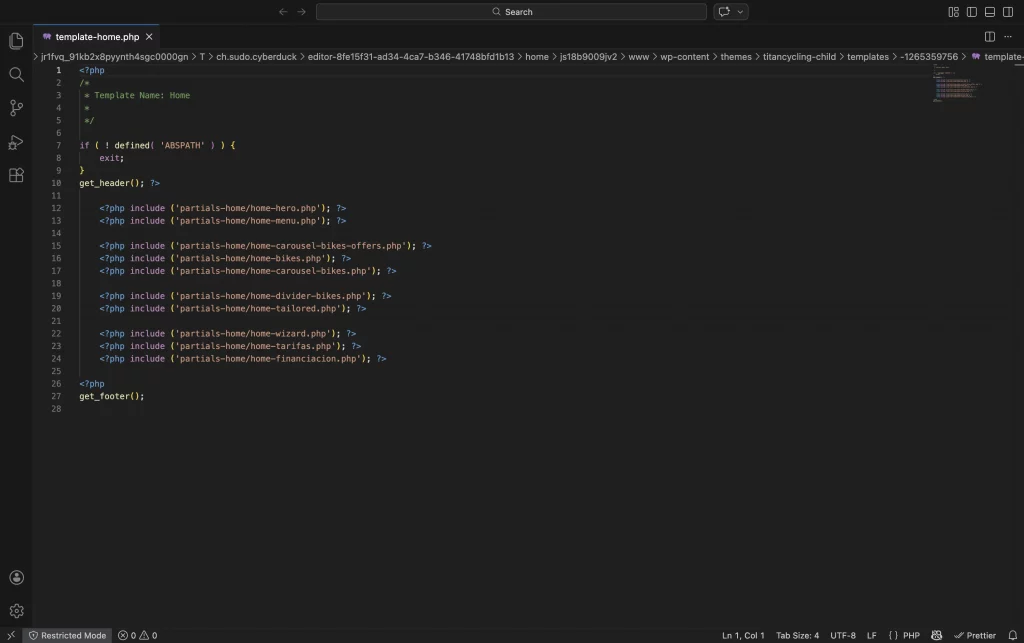
La homepage se construyó mediante componentes reutilizables cargados con get_template_part(), separando estructura, lógica y presentación.
Este enfoque permite modificar, escalar o reutilizar bloques sin afectar el resto del sistema, facilitando mantenimiento y evolución futura del proyecto.
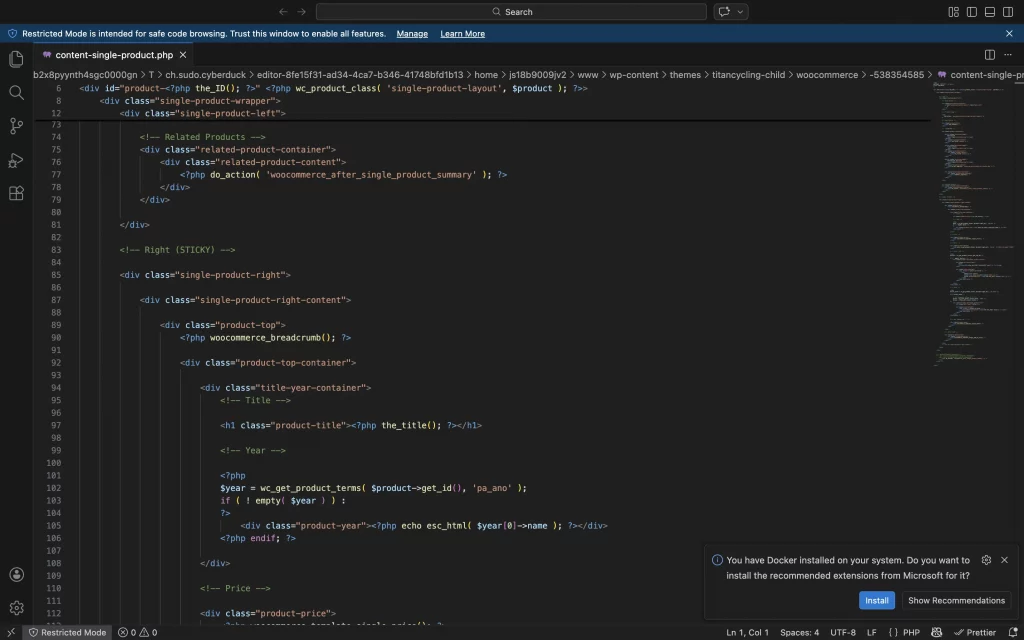
Single product page
Override de plantillas WooCommerce para redefinir layout, jerarquía informativa y comportamiento del CTA, manteniendo compatibilidad con actualizaciones futuras.
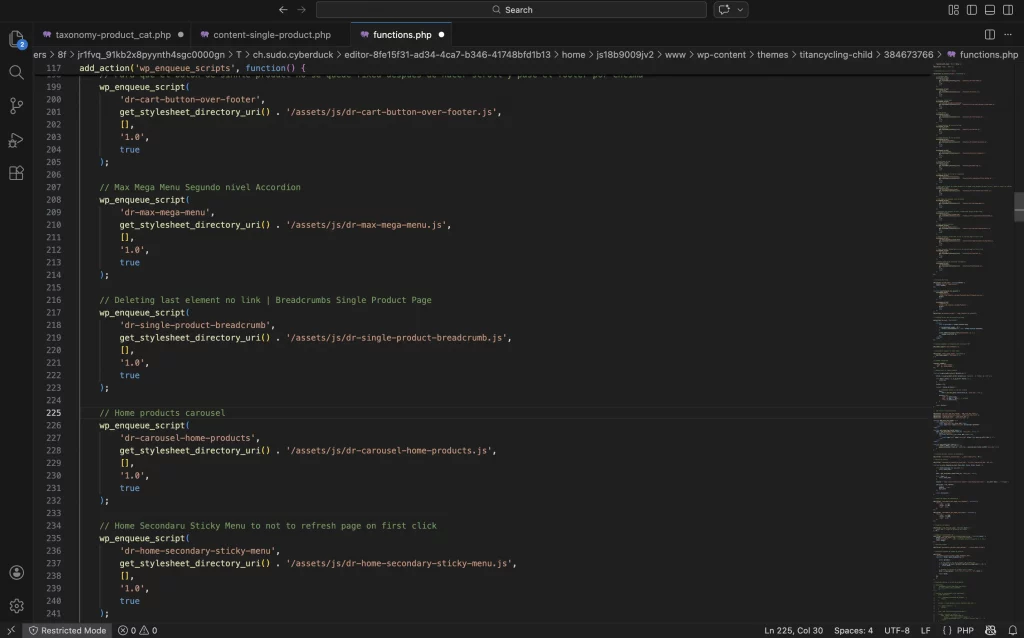
functions.php
Gestión estructurada de assets mediante wp_enqueue_scripts, asegurando carga condicional de JavaScript y control de versiones dinámico para evitar problemas de caché.
Separación clara entre estilos globales y scripts específicos por contexto (shop, categorías), optimizando rendimiento y mantenibilidad.
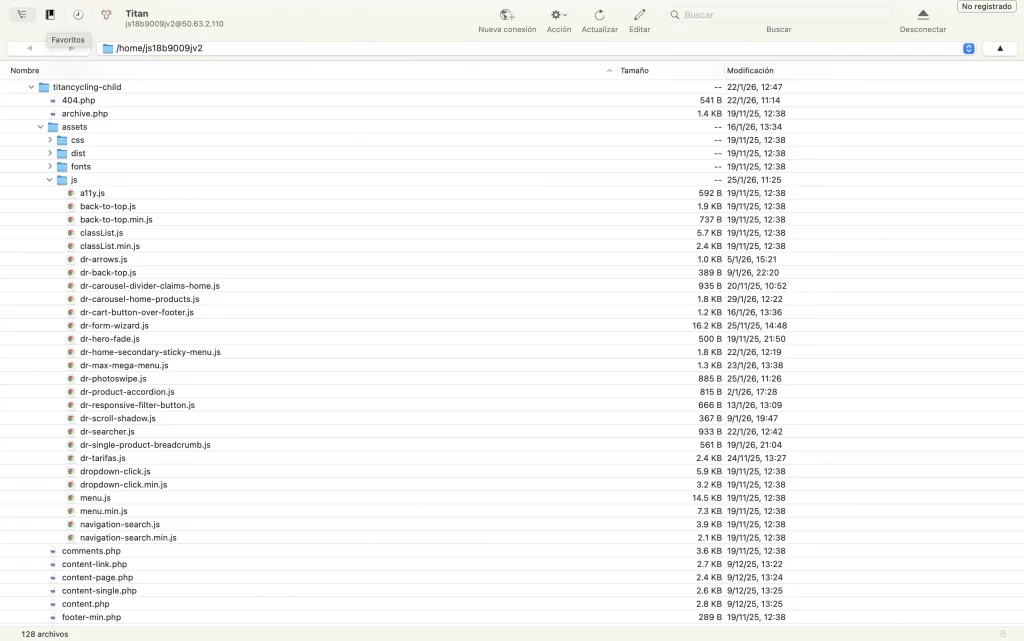
Menos plugins y más js
Desarrollo de lógica JavaScript personalizada para gestionar modales, filtros dinámicos y comportamientos sticky, mejorando interacción y experiencia en mobile.
Separación de responsabilidades entre presentación y comportamiento.
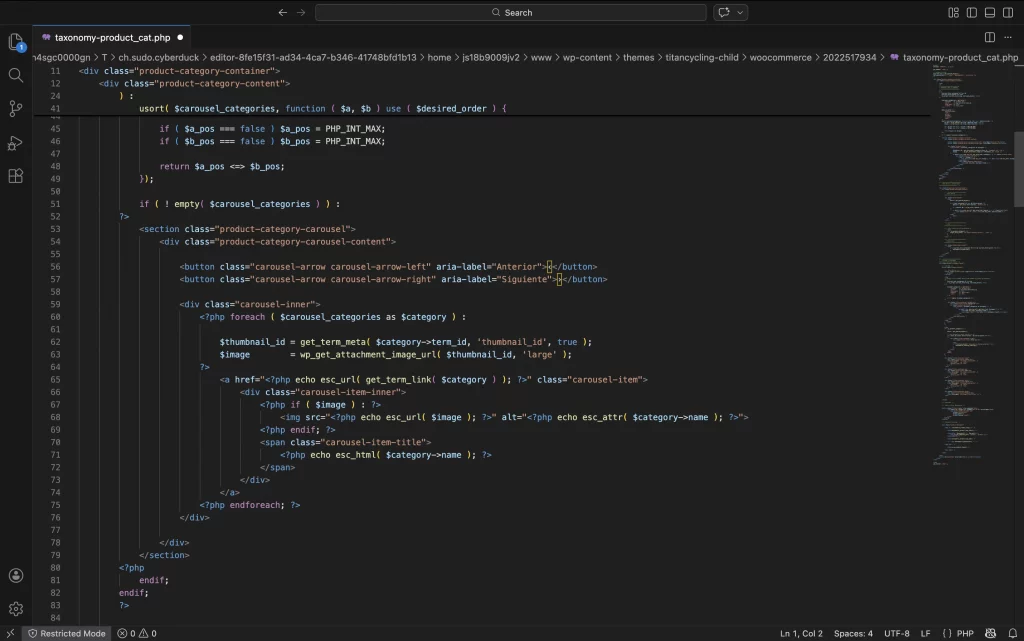
Template padre para products page
Implementación de plantilla específica para taxonomías personalizadas, permitiendo control total sobre jerarquía, filtros y estructura visual del catálogo.
Optimización del loop y consulta personalizada para mejorar rendimiento y coherencia de navegación.
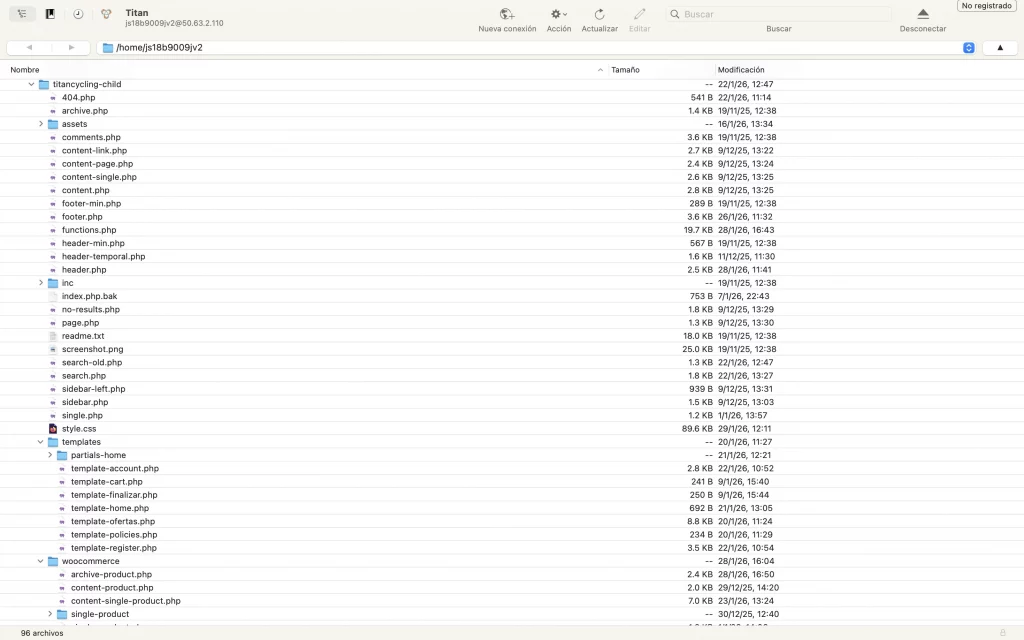
Estructura de templates organizada
Desarrollo basado en tema personalizado estructurado de forma modular.
Separación clara entre templates, lógica PHP y assets (JS/CSS), facilitando mantenimiento y escalabilidad del proyecto.
Outcome Learnings